How to Rename an ACF Repeater Subfield Without Losing Data
You can rename a value-bearing ACF Repeater subfield without re-entering its rows. Each saved value lives under a row-indexed key such as team_0_member_name, with a matching underscore reference row that stores the child field key. Migrate both rows for each index, verify the result, then change the subfield definition. Field Renamer 0.2.0 automates this for supported postmeta-backed Repeaters. It does not rename the Repeater container itself.
Check which field you are renaming
Open the field group and expand the Repeater. Select the value-bearing child, such as Member Name inside Team. Keep the parent Repeater name unchanged. A parent rename changes the prefix on every descendant key and requires a different, multi-field migration.
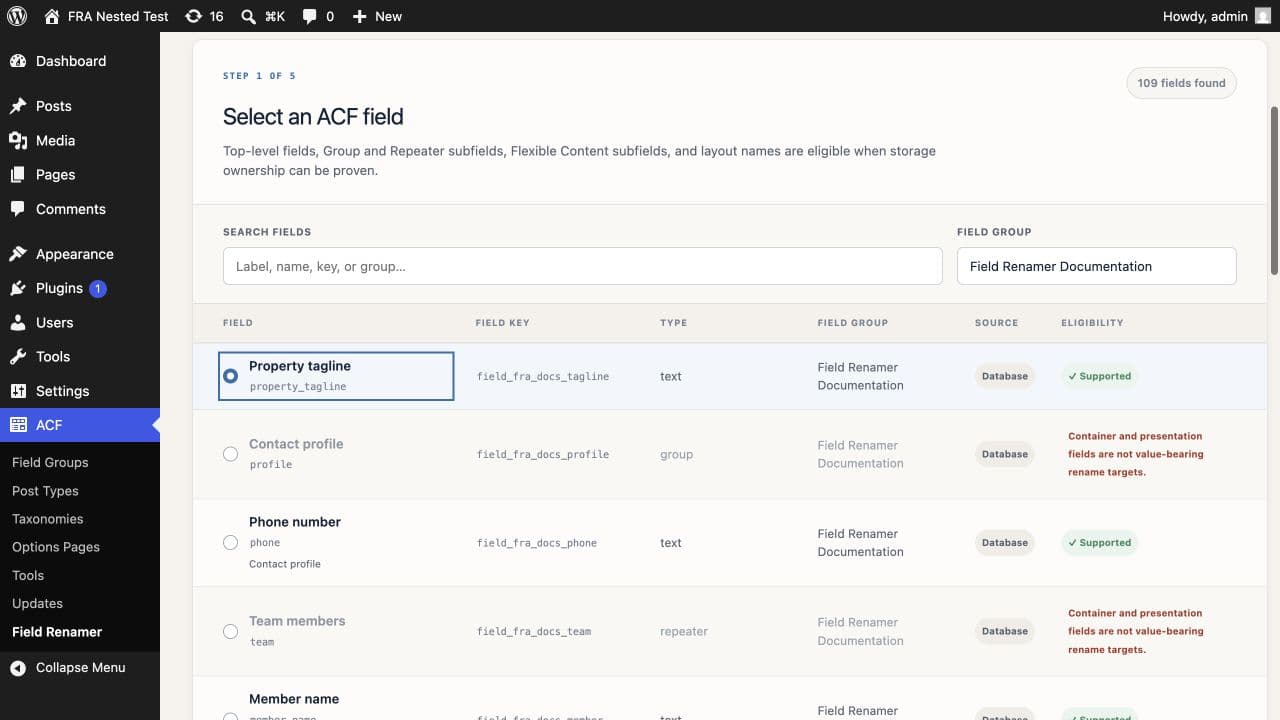
Read the row-indexed metadata path
ACF stores the Repeater row count under the parent name. Each child value uses the parent name, a numeric row index, and the child name. The underscore row repeats that path and stores the stable child field key.
team                 2
_team                field_team
team_0_member_name   Alice
_team_0_member_name  field_member_name
team_1_member_name   Bob
_team_1_member_name  field_member_name
Changing member_name to full_name in the field editor makes ACF look for team_0_full_name and team_1_full_name. The saved rows remain under the old path, so the Repeater cells appear empty.
Preview the complete path before writing
A safe scan anchors the parent, row index, and child name. It also checks that each underscore row points to the child field key you selected. That second check prevents another nested field with the same name from entering the migration.
^team_[0-9]+_member_name$
^_team_[0-9]+_member_name$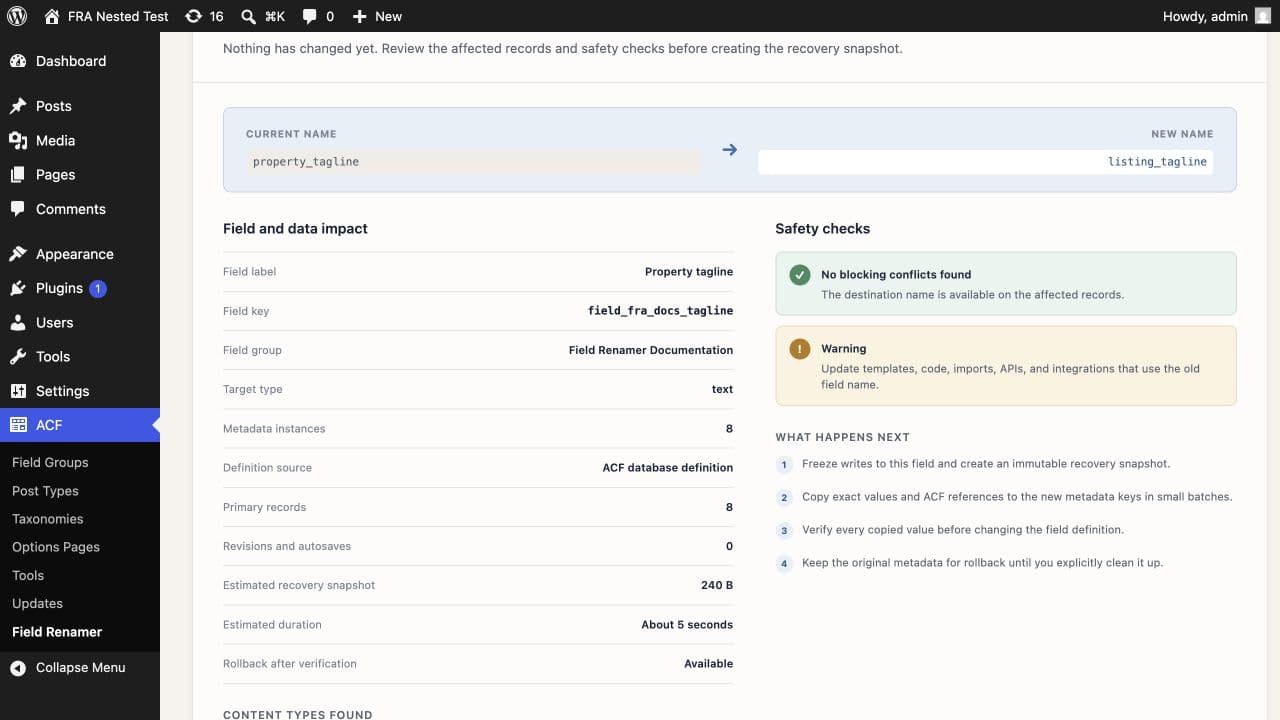
Create a restorable database backup before the rename. Stop imports and integrations that write the Repeater during the migration window.
Copy, verify, and change the definition
Field Renamer snapshots each owned row, copies the value and reference pair to the new row-indexed path, and reads the copies back. It changes the child definition after every destination row verifies. The original rows stay in place until you choose cleanup.
If the browser closes, reopen Migration History and resume the saved operation. The selected field stays write-protected while migration work remains active.
A Repeater with 50 posts and 20 rows can produce 1,000 separate subfield values. The impact review counts metadata instances as well as affected posts. See what the impact review shows →
Update template and integration references
Replace get_sub_field('member_name') calls with get_sub_field('full_name'). Check import mappings, REST consumers, exports, reports, and any code that reads the composite postmeta key. The ACF child field key stays unchanged.
Verify rows with different shapes
Open a post with no rows, one with several rows, and the largest Repeater you have. Save a changed child value under the new name, reload the post, and confirm the front end. Keep the recovery snapshot until those checks pass.
The product documentation shows the same path-aware workflow with recovery details and refusal cases. Read the nested-field documentation →
Common questions
Can I rename an ACF Repeater subfield without losing its rows?+
Yes. Migrate each row-indexed value and its underscore field-key reference before changing the child definition.
Can I rename the Repeater field itself?+
Field Renamer 0.2.0 blocks container renames. The parent name prefixes every descendant metadata key, so changing it requires a coordinated rewrite of the full tree.
Why does a normal subfield rename show empty cells?+
ACF starts reading the new composite key while the saved rows remain under the old child-name suffix.
Does rollback keep edits made after the rename?+
Normal rollback snapshots current destination values and copies those latest values back to the old path. Original-snapshot restoration is a separate action for recovering the pre-rename values.