ACF Field Name vs Field Key: What Actually Stores Your Data
The field name is the human-readable slug (employee_phone) and it is what becomes the meta_key your value is stored under. The field key (field_6a1c93f4b2e07) is the definition identifier ACF assigns when the field is created; it lives in a second, underscore-prefixed row that points from the value back to that definition. A normal rename changes the name while preserving the key. That stable identity is what makes a targeted migration possible.
The two rows ACF writes
Every saved ACF value produces a pair of rows in wp_postmeta against the same post.
post_id  meta_key            meta_value
----------------------------------------------------
2841     employee_phone      +44 7700 900 812
2841     _employee_phone     field_6a1c93f4b2e07
The first row is your data. The second is the pointer that tells ACF which field definition produced it — which is how ACF knows to render a phone number as text rather than as a relationship, and how conditional logic resolves at all.
Why the key should stay unchanged
ACF assigns the key when the field is created. It survives renames, group moves, imports, and exports as long as the definition keeps that key. That stability makes it the useful identifier across environments, while names remain editable in the field group editor.
What this means when you rename
A rename changes the meta_key of your value rows and nothing else. The key stays identical, which means a migration tool can identify precisely which rows belong to this field — rather than matching on a name string that an unrelated field, plugin, or repeater subfield might also happen to use. Name matching is why global search and replace is dangerous here; key matching is why a targeted rename is not.
This is why Field Renamer starts from the stable field key rather than the editable name. It still checks for duplicate or conflicting definitions and refuses to proceed when ownership is ambiguous. How the impact review uses it →
Where you meet each one
get_field() accepts either, but the name is what you write in templates. Local JSON files list both, with the key as the object identifier. update_field() should be given the key when writing to a record that has no value yet, because ACF cannot infer the field from a name that has never been saved. Conditional logic, clone fields, and field group exports all reference keys.
Finding a field key
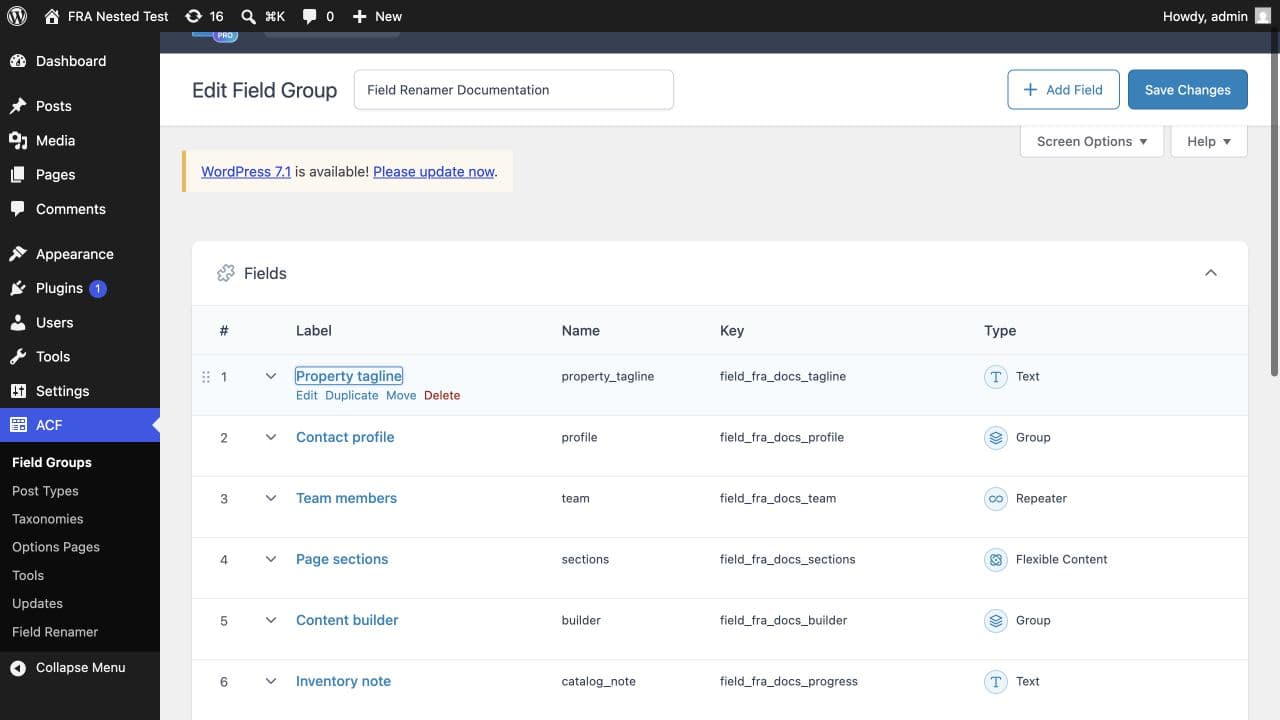
In the field group editor, the key is shown under the field label — in older ACF versions you may need to enable it from Screen Options. If you only have database access, read it out of the reference row directly.
SELECT DISTINCT meta_value
  FROM wp_postmeta
 WHERE meta_key = '_employee_phone';
More than one distinct value coming back from that query is worth stopping for: it means two different field definitions are writing under the same name, and any rename that matches on the name alone will merge data that belongs to separate fields.
Common questions
What is the difference between an ACF field name and field key?+
The name is the editable slug that becomes your meta_key in wp_postmeta. The key identifies the field definition and is stored in a second underscore-prefixed row that points back to it.
Does the field key change when I rename a field?+
No. The key is generated once and survives renames, group moves, imports, and exports. That is exactly what makes a safe, targeted migration possible.
Should I use the name or the key in get_field()?+
Either works, and the name is more readable in templates. Use the key with update_field() when writing to a record that has never held a value for that field, because ACF cannot resolve an unsaved name.
Can two fields share a name?+
Yes, in different field groups — and that is the case where name-based renaming silently merges unrelated data. Matching on the field key is the only way to tell them apart.