Verified: 28 August 2026 · Field Renamer 0.2.0
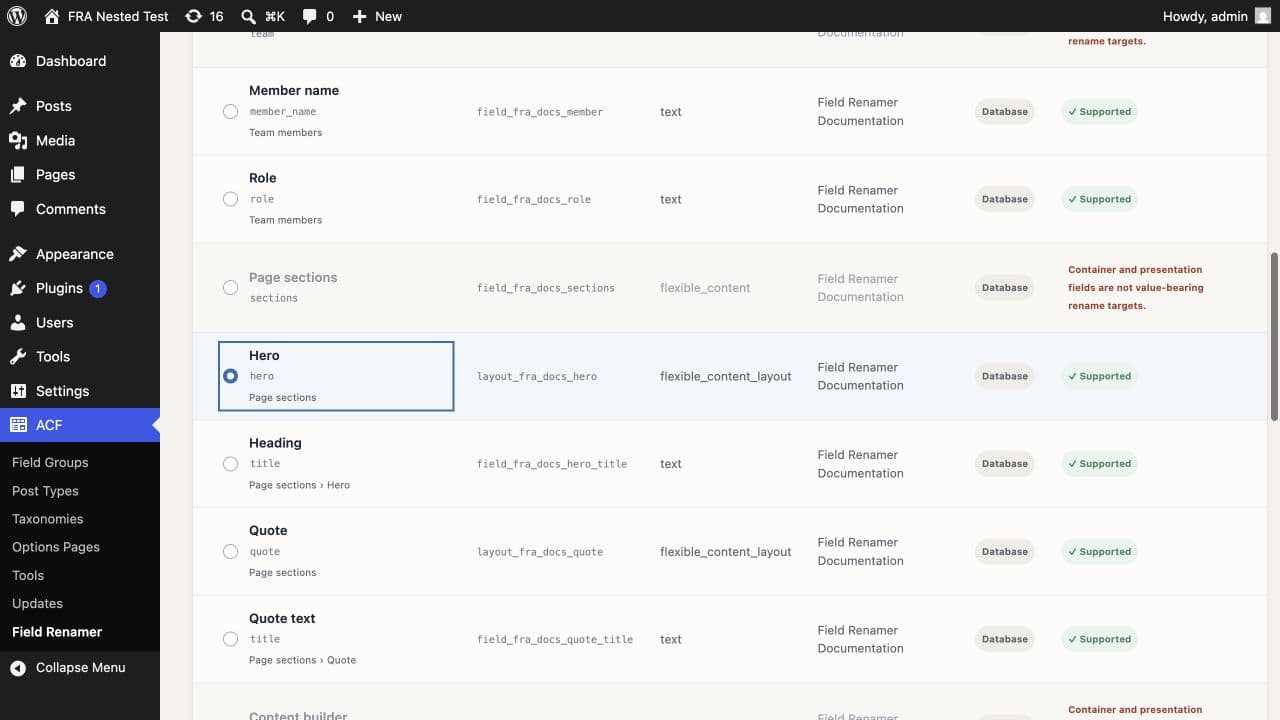
Select the layout target
Choose the Flexible Content field group, then select the layout row rather than the Flexible Content container. Field Renamer records the parent field key, layout key, current layout name, and complete definition path.
Review exact layout occurrences
The scan reads the parent layout sequence and counts exact occurrences of the old layout name. It blocks mixed ownership, destination collisions, duplicate definitions, unsupported storage, or definition drift before any sequence changes.
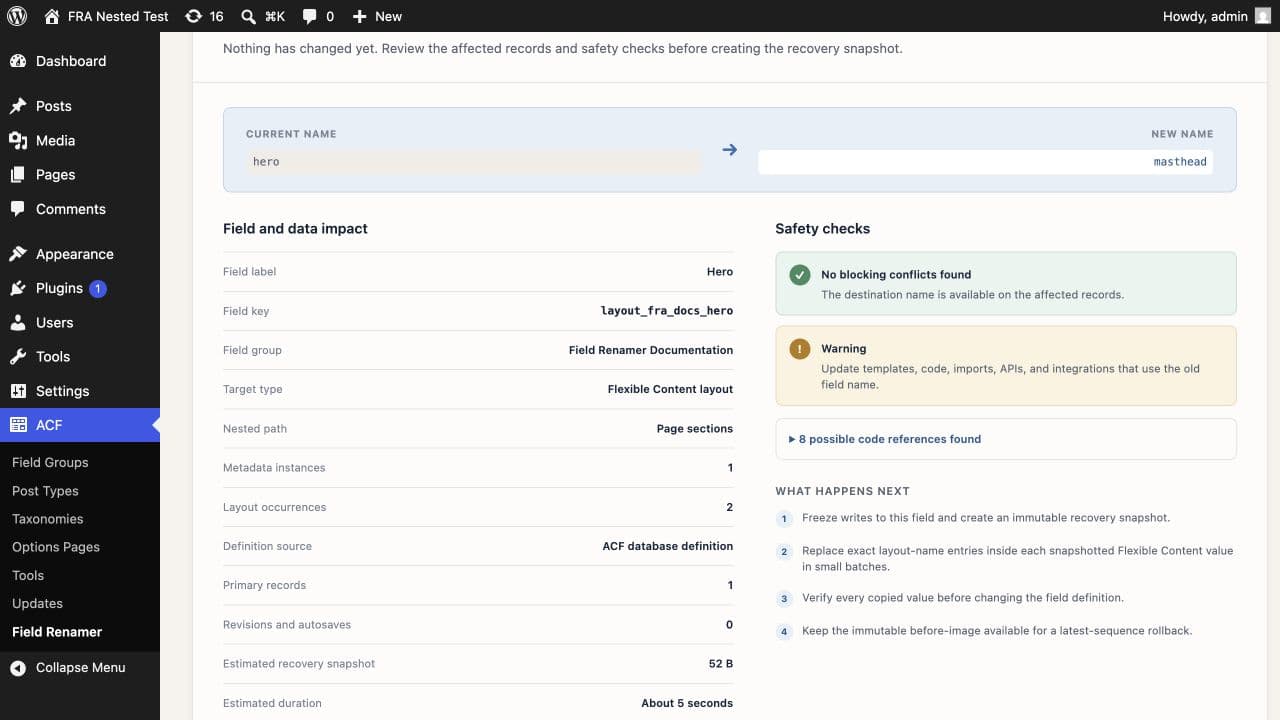
The parent sequence changes in place
Field Renamer snapshots each affected parent value, replaces exact layout-name entries, writes the sequence back to the same metadata row, and reads it back for verification. It does not create duplicate source and destination metadata pairs, so old-metadata cleanup does not apply to layout operations.
Rollback restores the latest sequence
Normal rollback snapshots the current parent sequences, changes the new layout name back to the old name, and verifies every sequence. Original-snapshot restoration is unavailable for layout migrations because restoring the entire old parent value could overwrite unrelated layout and subfield edits made after cutover.
Use normal rollback to preserve other edits made to the Flexible Content field after the rename.
Need help with this workflow? Open a support request →