Verified: 28 August 2026 · Field Renamer 0.2.0
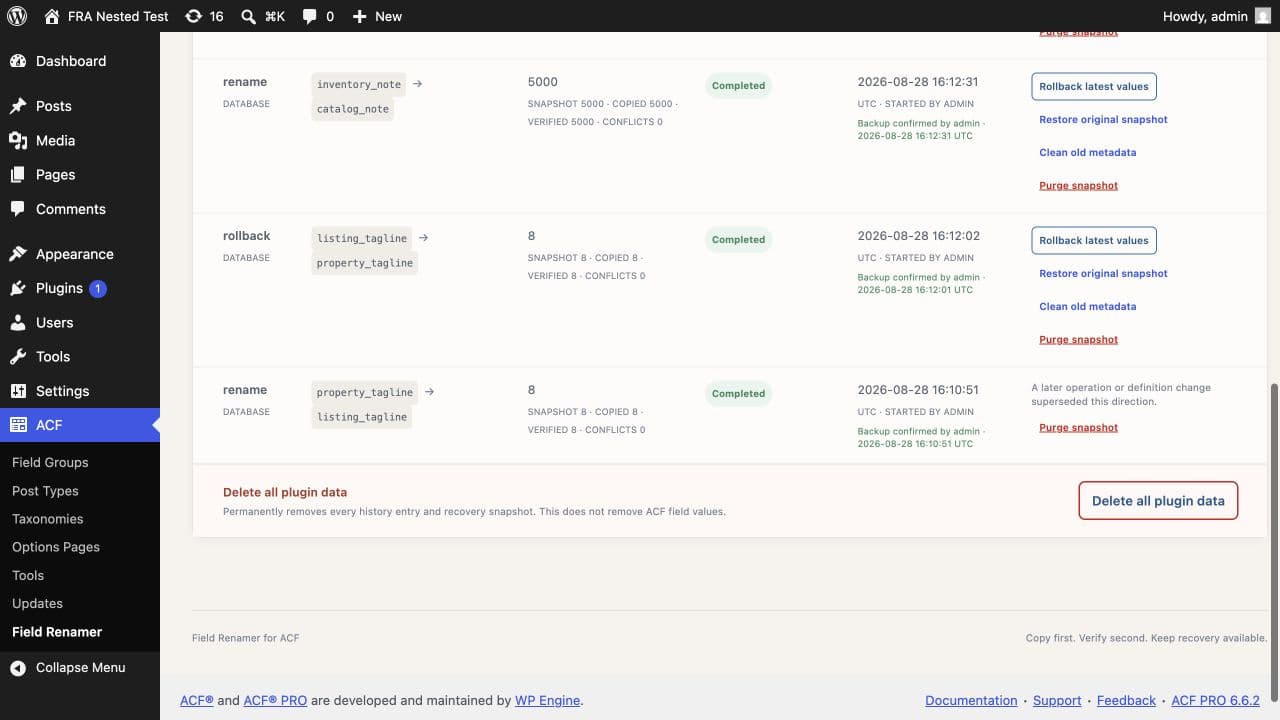
Cleanup original metadata
Cleanup is available after verified completion. It removes only recorded source value/reference IDs whose current name, owner, and checksum still match the migration. Changed rows are skipped and counted as conflicts. Cleanup affects original ACF metadata; it does not remove migration history or snapshots.
Purge one recovery snapshot
Typing PURGE permanently removes raw snapshot and rollback target values for one completed or cancelled operation while retaining history, IDs, checksums, and status. It is blocked while related active or recoverable work exists.
Delete all plugin data
Typing DELETE ALL into the browser confirmation prompt removes every migration history entry and recovery snapshot. It does not remove ACF field values. Global deletion is blocked while an operation is active or recoverable work needs attention.
Deactivation keeps the plugin tables and recovery data. Deleting the plugin through the WordPress Plugins screen runs its uninstall routine and permanently removes the two plugin-owned tables, schema and migration-lock options, and custom capability. ACF field values and definitions remain in place.
Create a full database backup before deleting the plugin if you may need its migration history or recovery snapshots later.
Need help with this workflow? Open a support request →